-
Java 옥션 베스트 크롤링 Selenium 샘플개발 2026. 3. 6. 12:32
목차
Java 옥션 베스트 크롤링 Selenium 샘플
Selenium은 웹 브라우저 자동화 도구입니다.
단순히 HTML 소스를 긁어오는 Jsoup과 다르게 실제 브라우저 ( Chrome, Firefox 등 )를 직접 띄워서 클릭 , 텍스트 입력 , 페이지 스크롤 등의 작업을 코드로 제어할 수 있습니다.
Selenium은 웹 드라이버 ( WebDriver ) 를 통해 실제 설치된 브라우저를 원격 조종합니다.
실제 브라우저를 사용하기 때문에 동적 콘텐츠 처리에 강력합니다.
그러나 브라우저를 띄우고 닫는 비용이 크기 때문에 대량의 페이지를 긁기에는 속도가 느리고 서버 리소스를 많이 잡아먹습니다.
Selenium
Selenium은 웹 브라우저의 동작을 자동화할 수 있게 해주는 오픈 소스 프레임워크입니다.
원래는 웹 애플리케이션 테스트 자동화를 위해 만들어졌습니다.
지금은 웹 스크래핑, 반복 작업 자동화, UI 테스트 등 다양한 분야에서 활용되고 있습니다.
https://selenium.devSelenium
Selenium automates browsers. That's it! What you do with that power is entirely up to you. Primarily it is for automating web applications for testing purposes, but is certainly not limited to just that. Boring web-based administration tasks can (and shoul
www.selenium.dev
기능 동적 페이지 렌더링 자바스크립트가 실행된 후 데이터가 나타나는 사이트의 데이터를 가져올 수 있습니다. 사용자 인터랙션 로그인 , 버튼 클릭 , 드래그 앤 드롭 , 팝업 창 다루기 등 실제 사람이 하는 모든 행동을 흉내 낼 수 있습니다. 멀티 브라우저 지원 크롬 , 파이어폭스 , 사파리 , 엣지 등 다양한 브라우저 환경에서 동일한 코드로 테스트가 가능합니다. 다양한 언어 지원 Java뿐만 아니라 Python , C# , Ruby 등 다양한 언어 라이브러리를 제공합니다. Selenium Selenium WebDriver 브라우저를 직접 제어하는 엔진입니다.
각 브라우저 ( Chrome 등 ) 에 맞는 드라이버 파일이 필요합니다.Web Element 브라우저 상의 버튼, 입력창, 이미지 등을 객체화한 것입니다. By ( Locator ) ID, 클래스명, CSS 선택자, XPath 등을 이용해 요소를 찾는 방법을 정의합니다. 항목 HtmlUnit Selenium 작동 방식 GUI 없는 가상 브라우저 ( Java 기반 ) 실제 웹 브라우저 ( Chrome, Firefox 등 ) 제어 JavaScript 엔진 Rhino / Nashorn ( 자체 내장 ) 실제 브라우저의 엔진 ( V8 등 ) 사용 속도 매우 빠름 ( 화면 렌더링 없음 ) 상대적으로 느림 ( 브라우저 구동 대기 ) 리소스 가벼움 ( 메모리 / CPU 적게 소모 ) 무거움 ( 브라우저 프로세스 실행 ) JS 재현 보통 ( 복잡한 최신 스크립트에서 오류 가능 ) 완벽함 ( 실제 브라우저와 동일 ) 시각적 확인 불가능 가능 ( 디버깅 시 화면 확인 가능 ) <!-- Selenium --> <dependency> <groupId>org.seleniumhq.selenium</groupId> <artifactId>selenium-java</artifactId> <version>4.41.0</version> </dependency> <!-- Selenium WebDriverManager : ChromeDriver 자동 관리 --> <dependency> <groupId>io.github.bonigarcia</groupId> <artifactId>webdrivermanager</artifactId> <version>6.3.3</version> </dependency>반응형// Selenium https://mvnrepository.com/artifact/org.seleniumhq.selenium/selenium-java implementation("org.seleniumhq.selenium:selenium-java:4.41.0") // WebDriverManager https://mvnrepository.com/artifact/io.github.bonigarcia/webdrivermanager implementation("io.github.bonigarcia:webdrivermanager:6.3.3")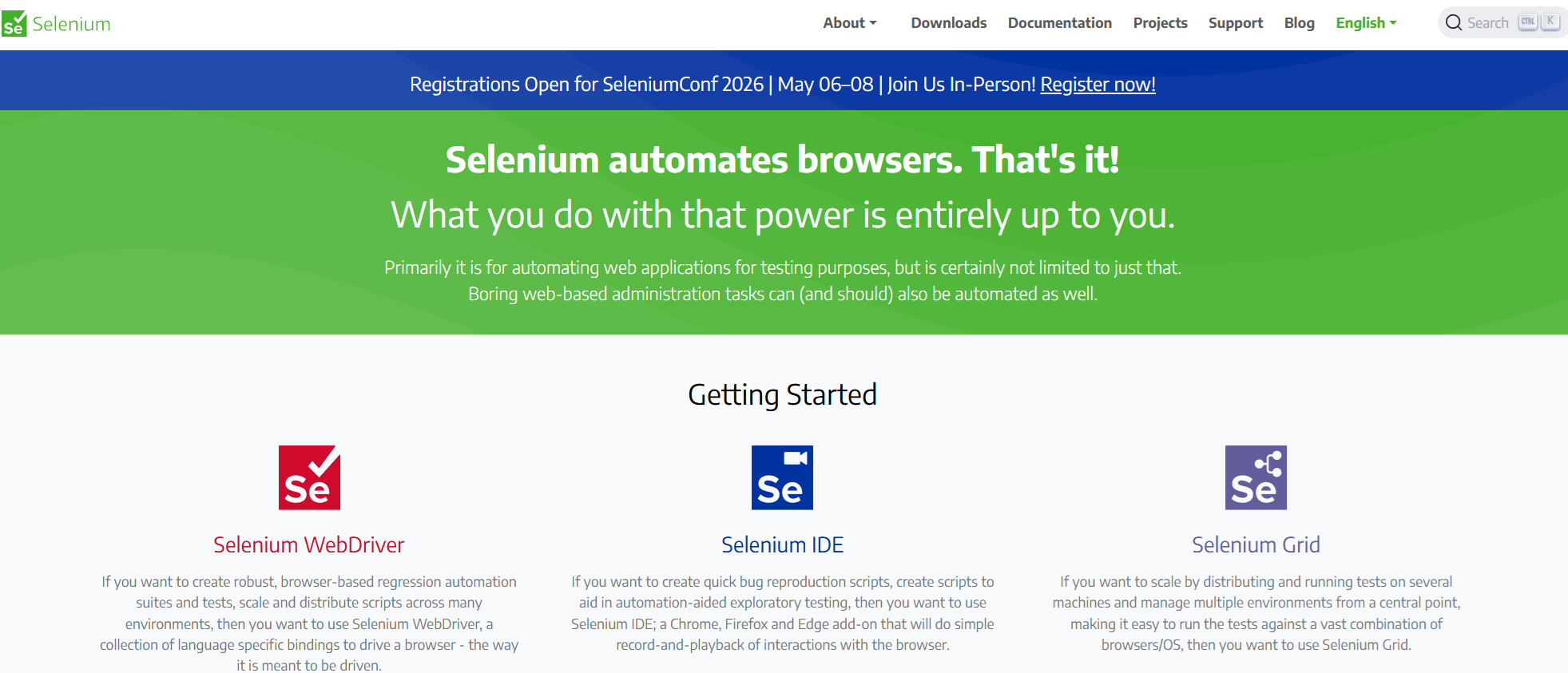
Selenium
옥션 배스트
1. Selenium으로 URL에 접속해서 HTML 문서를 가져옵니다.
2. 베스트 상품들이 들어 있는 요소 목록 선택합니다.
3. 각 상품 요소를 순회하면서 정보 추출합니다.//시간 단위(초, 밀리초 등) 표현 클래스 import java.time.Duration; //여러 WebElement를 담기 위한 List 컬렉션 임포트 import java.util.List; // 요소를 찾기 위한 By 클래스 임포트 import org.openqa.selenium.By; // Selenium WebDriver의 핵심 인터페이스 임포트 import org.openqa.selenium.WebDriver; // 단일/복수 요소를 표현하는 WebElement 인터페이스 임포트 import org.openqa.selenium.WebElement; // 실제 크롬 브라우저를 제어하는 ChromeDriver 클래스 임포트 import org.openqa.selenium.chrome.ChromeDriver; // Chrome 브라우저 실행 옵션 설정 클래스 import org.openqa.selenium.chrome.ChromeOptions; import org.openqa.selenium.support.ui.ExpectedConditions; // 조건 기반 명시적 대기 클래스 import org.openqa.selenium.support.ui.WebDriverWait; /** * 옥션 베스트 크롤링 * Selenium * @since 2026-03-06 */ public class AuctionBestSelenium { public static void main(String[] args) throws Exception { // Chrome 브라우저 실행 옵션 객체 생성 ChromeOptions options = new ChromeOptions(); // 브라우저 창을 화면에 표시하지 않는 헤드리스 모드 설정 options.addArguments("--headless"); // 리눅스 환경에서 루트 권한 실행 시 발생하는 오류 방지 options.addArguments("--no-sandbox"); // 도커 등 메모리가 제한된 환경에서 /dev/shm 사용 비활성화 options.addArguments("--disable-dev-shm-usage"); // GPU 하드웨어 가속 비활성화 (헤드리스 환경에서 오류 방지) options.addArguments("--disable-gpu"); // 브라우저 창 크기를 1920x1080으로 설정 (반응형 레이아웃 대응) options.addArguments("--window-size=1920,1080"); // 봇 감지 우회 옵션 (필요 시 주석 해제) // // 자동화 감지 기능 비활성화 // options.addArguments("--disable-blink-features=AutomationControlled"); // // 자동화 스위치 제거 // options.setExperimentalOption("excludeSwitches", List.of("enable-automation")); // // 자동화 확장 프로그램 비활성화 // options.setExperimentalOption("useAutomationExtension", false); // User-Agent 설정 (봇 감지 우회) options.addArguments("user-agent=Mozilla/5.0 (Windows NT 10.0; Win64; x64) " + "AppleWebKit/537.36 (KHTML, like Gecko) Chrome/120.0.0.0 Safari/537.36"); // 설정한 옵션으로 ChromeDriver(브라우저) 인스턴스 생성 WebDriver driver = new ChromeDriver(options); // 최대 15초 동안 조건이 충족될 때까지 대기하는 WebDriverWait 객체 생성 WebDriverWait wait = new WebDriverWait(driver, Duration.ofSeconds(15)); try { // 옥션 카테고리 베스트 페이지로 이동 String url = "https://corners.auction.co.kr/corner/categorybest.aspx"; driver.get(url); // JS 렌더링 강제 대기 ( 필요 시 주석 해제하여 사용 ) //Thread.sleep(5000); // 페이지 소스 출력 → 실제 HTML 구조 확인 //String pageSource = driver.getPageSource(); //System.out.println(pageSource); // 브라우저 창 최대화 (선택 사항이지만 디버깅에 편리) driver.manage().window().maximize(); // 각 상품 박스를 감싸는 선택자 ( 실제 구조에 맞게 조정 필요 ) String itemSelector = ".box_best-item-wrap"; // 현재 페이지 제목을 콘솔에 출력 ( 정상 접속 여부 확인용 ) //System.out.println("페이지 제목: " + driver.getTitle()); // CSS 셀렉터로 특정 요소가 나타날 때까지 최대 15초 대기 wait.until(ExpectedConditions.presenceOfElementLocated( By.cssSelector(itemSelector) )); // 페이지 소스 전체 출력 (셀렉터 확인이 필요할 때 주석 해제) // System.out.println(driver.getPageSource()); // 상품 리스트 추출 시도 ( 페이지 구조에 따라 수정 필요 ) List<WebElement> items = driver.findElements(By.cssSelector(itemSelector)); // 찾은 상품 개수 출력 System.out.println("상품 개수: " + items.size()); // 순위 카운터 초기값 설정 int rank = 1; // 각 상품 li 요소를 순회 for ( WebElement item : items ) { // 상품 WebElement nameEl = null; try { nameEl = item.findElement(By.cssSelector(".text__item-title")); } catch ( Exception ignored ) { // 해당 셀렉터로 못 찾을 경우 null 유지 } // nameEl이 null이 아니면 텍스트 사용, 아니면 빈 문자열 String name = ( nameEl != null ) ? nameEl.getText().trim() : ""; // 원가 WebElement originalEl = null; try { originalEl = item.findElement(By.cssSelector(".text__original-price")); } catch ( Exception ignored ) { } String original = ( originalEl != null ) ? originalEl.getText().trim() : ""; // 가격 WebElement priceEl = null; try { priceEl = item.findElement(By.cssSelector(".text__discount-price")); } catch ( Exception ignored ) { } String price = ( priceEl != null ) ? priceEl.getText().trim() : ""; // 링크 : 상품명 요소나 첫 번째 a 태그의 href에서 가져오기 String link = ""; WebElement linkEl = null; try { linkEl = item.findElement(By.cssSelector("a")); } catch ( Exception ignored ) { } if ( linkEl != null ) { link = linkEl.getAttribute("href"); } // 이미지: li 내부의 첫 번째 img 태그 src 사용 String img = ""; try { WebElement imgEl = item.findElement(By.cssSelector("img")); img = imgEl.getAttribute("src"); } catch ( Exception ignored ) { } // 추출 결과 출력 System.out.printf("[%2d위] %n", rank); System.out.printf("상품명 : %s%n", name); System.out.printf("원가 : %s%n", original); System.out.printf("가격 : %s원%n", price); System.out.printf("링크 : %s%n", link); System.out.printf("이미지 : %s%n", img); // 상품 간 구분선 출력 System.out.println("-".repeat(60)); // 4위까지만 출력 후 반복 종료 ( 테스트용 제한 ) if ( rank == 4 ) break; // 다음 상품으로 순위 증가 rank++; } } catch ( Exception e ) { // 크롤링 중 예외 발생 시 스택 트레이스 출력 e.printStackTrace(); } finally { // 작업 완료 후 브라우저 종료 driver.quit(); } } }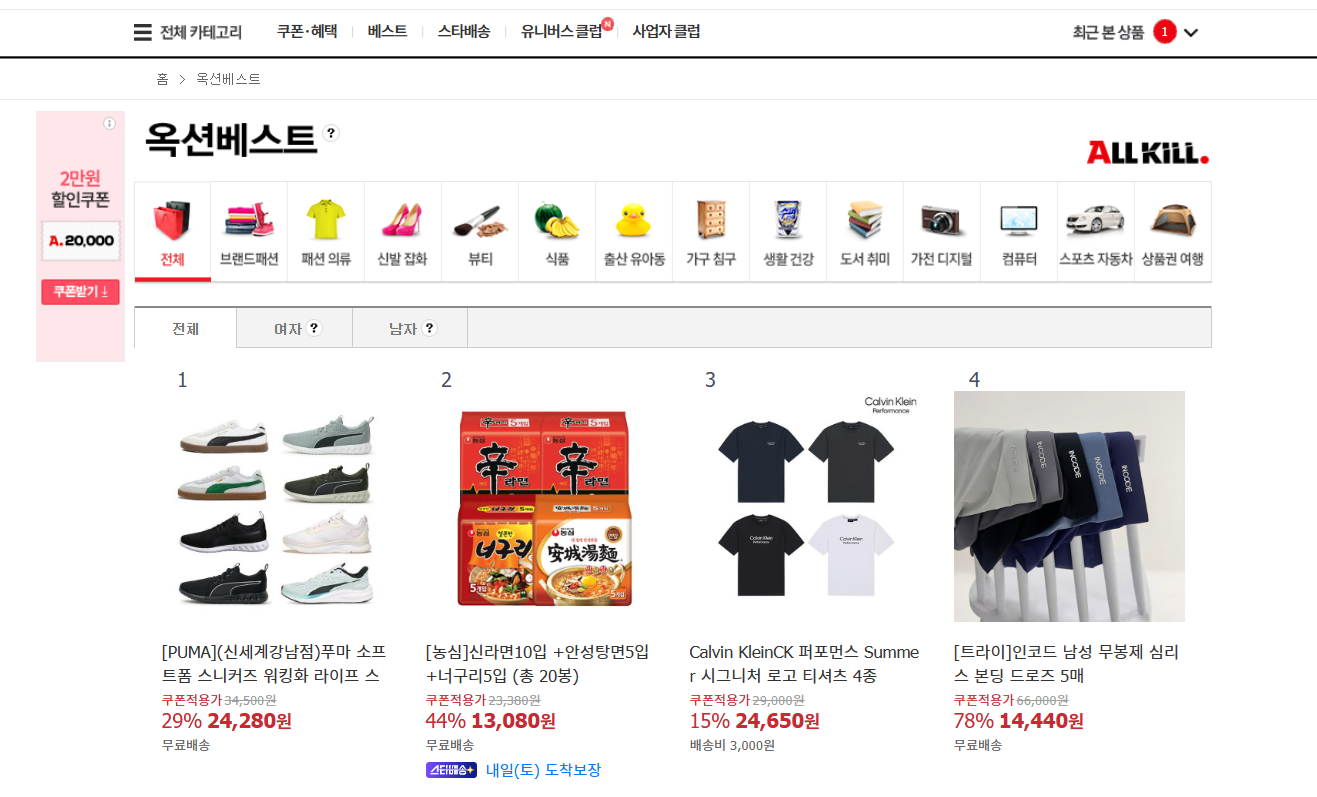
옥션 베스트 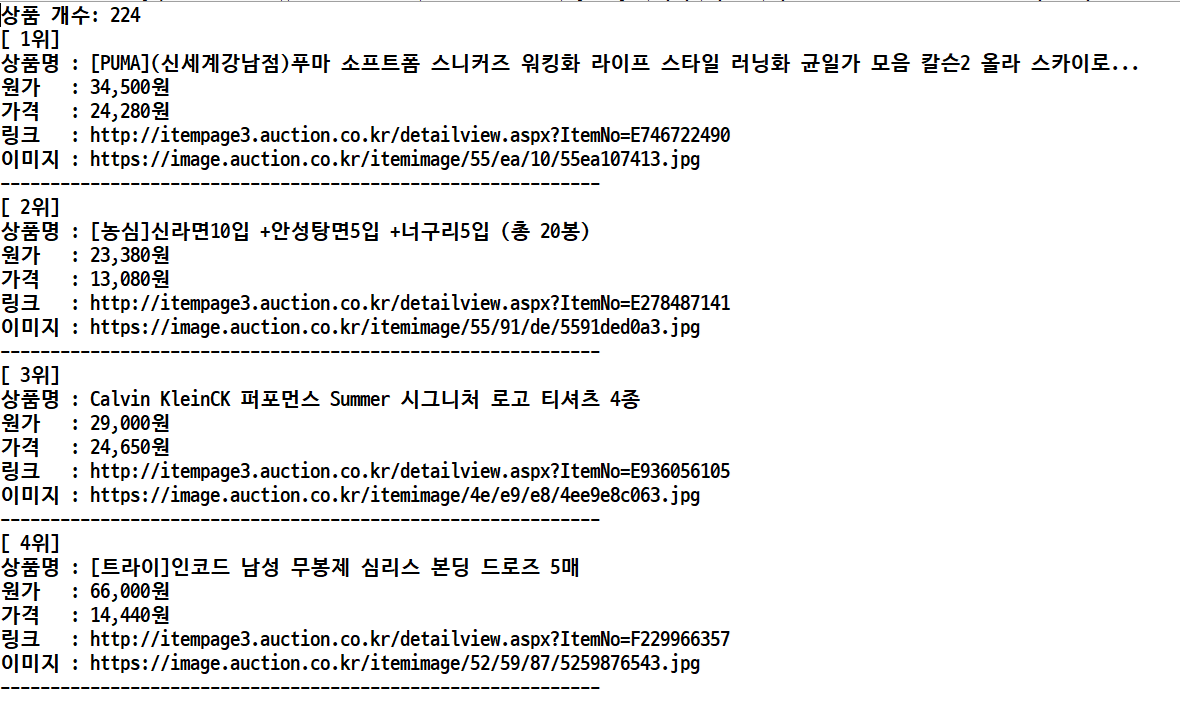
옥션 베스트
요약
1. Selenium implementation("org.seleniumhq.selenium:selenium-java:4.41.0")
2. WebDriverManager implementation("io.github.bonigarcia:webdrivermanager:6.3.3")
3. 옥션 베스트 https://corners.auction.co.kr/corner/categorybest.aspx
4. 베스트 .box_best-item-wrap
5. 상품 .text__item-title
6. 원가 .text__original-price
7. 가격 .text__discount-price
8. 링크 a
9. 이미지 img반응형'개발' 카테고리의 다른 글
Java 롯데온 베스트 크롤링 Playwright 샘플 (0) 2026.03.08 Java 뽐뿌 뽐뿌게시판 크롤링 Jsoup 샘플 (0) 2026.03.07 Java G마켓 베스트 크롤링 HtmlUnit 샘플 (0) 2026.03.05 Java 11번가 베스트셀러 크롤링 Jsoup 샘플 (0) 2026.03.04 Java 이클립스 Gradle 프로젝트 설정 방법 (0) 2026.03.04